GPC Online has changed recently. The new web version works better on all device types, and adapts to the size of the screen. It also allows you to search through much more of the content of the Dictionary.
This section contains useful information and answers to FAQ’s for users of GPC Online.
For further assistance, please contact gpc@geiriadur.ac.uk
Help
Using the Dictionary
- The interface and changing language
- Searching for a Welsh word
- Searching for a Welsh phrase
- Moving between entries
- Searching for an English word or phrase
- Advanced searches
- Gender, spelling, plural forms, etc.
- Dates of publication
- Compatibility
- The GPC website
- Copyright
- How to cite an entry
- Printing, sharing and feedback
- Technical problems?
- Need more help?
- Credits
The interface and changing language

You can change the language of the interface at any time by clicking on the button at the top right of the page. This will not affect the search itself. The content of GPC is in Welsh, so the Welsh-language text of the entry will not change, just the interface.
You can hover over abbreviations or tap on them on a touch screen to get an explanation in Welsh or English.
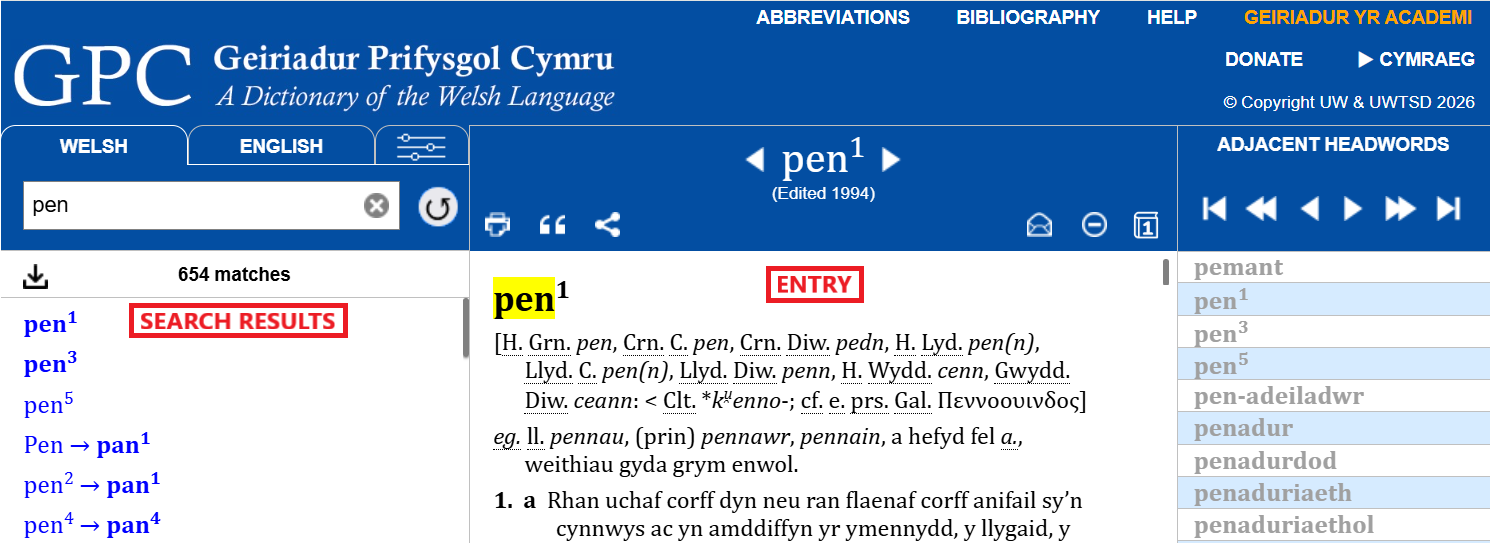
The control buttons are located at the top of the page, and below, the search results are on the left, and the first entry of the results is in the body of the page. Any one of the results can be selected by clicking on it to display the relevant entry.
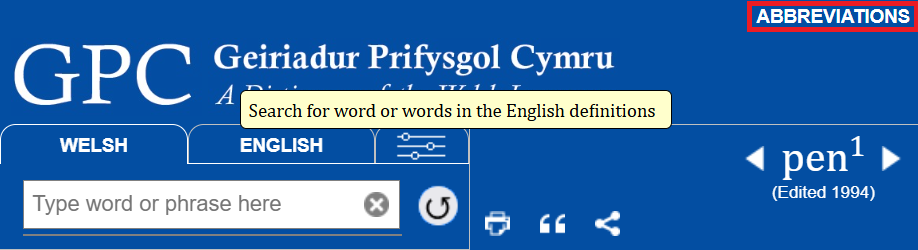
Move the mouse over screen elements and wait to see explanations of the functions of the various buttons, the search box, and so on. Move the mouse over abbreviations anywhere in a dictionary entry to see the full word or an explanation. There is a link at the top of the page to lists of abbreviations on the website.
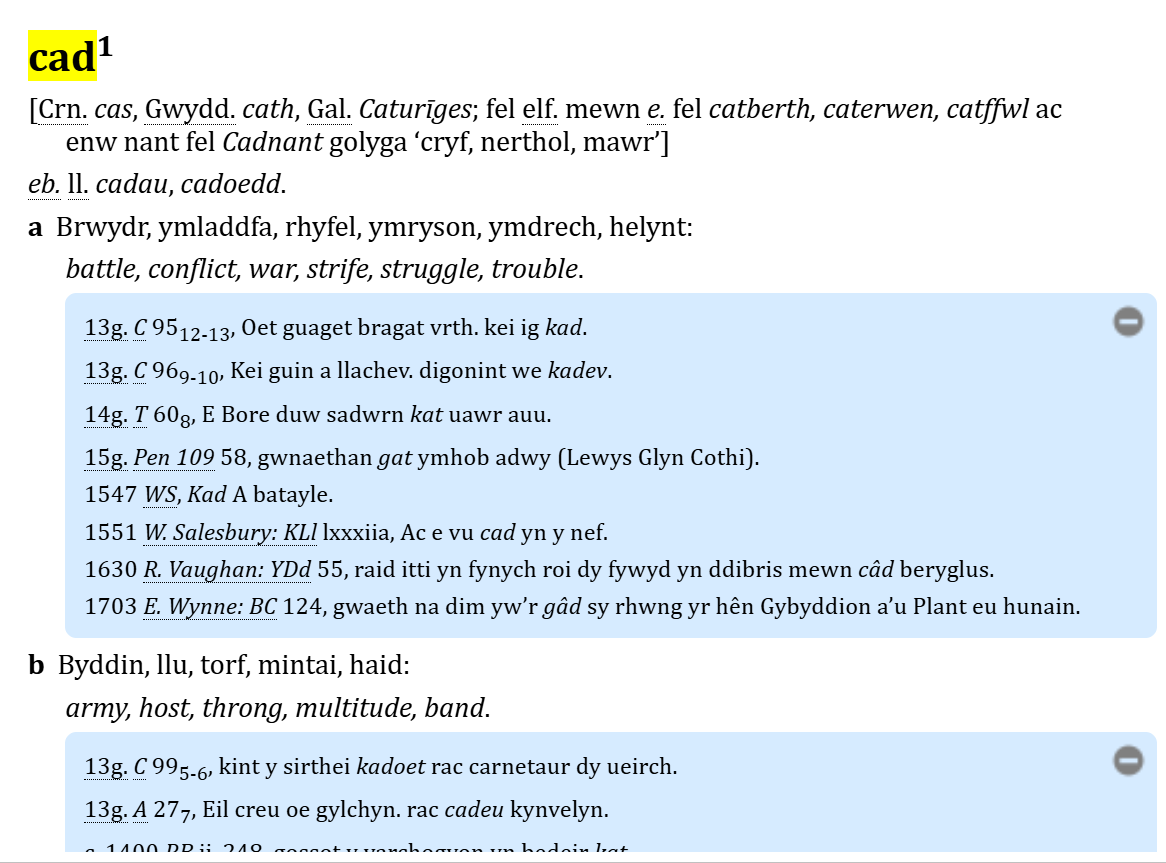
The word and any other forms of it are shown at the beginning of the entry. (A grey vertical line between ‘n’ and ‘g’ and between ‘r’ and ‘h’ indicates that they are pronounced separately, and not as ‘ng’ and ‘rh’). The etymology or morphology of the word appears between ‘[…]‘, showing how it has come into the language, or from what other elements it is composed, together with its part of speech, plural forms, diminutive forms, etc. One or more sections are displayed showing the meanings of the word in Welsh and English. Usually a number of examples of the word from texts of various periods are listed in chronological order.
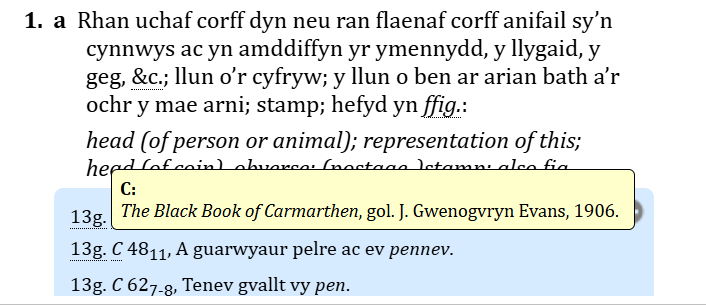
In the quotations (the dated examples), you can hover over the abbreviation of the work with the mouse to see its full details. There is a link at the top of the page to the bibliography on the website.
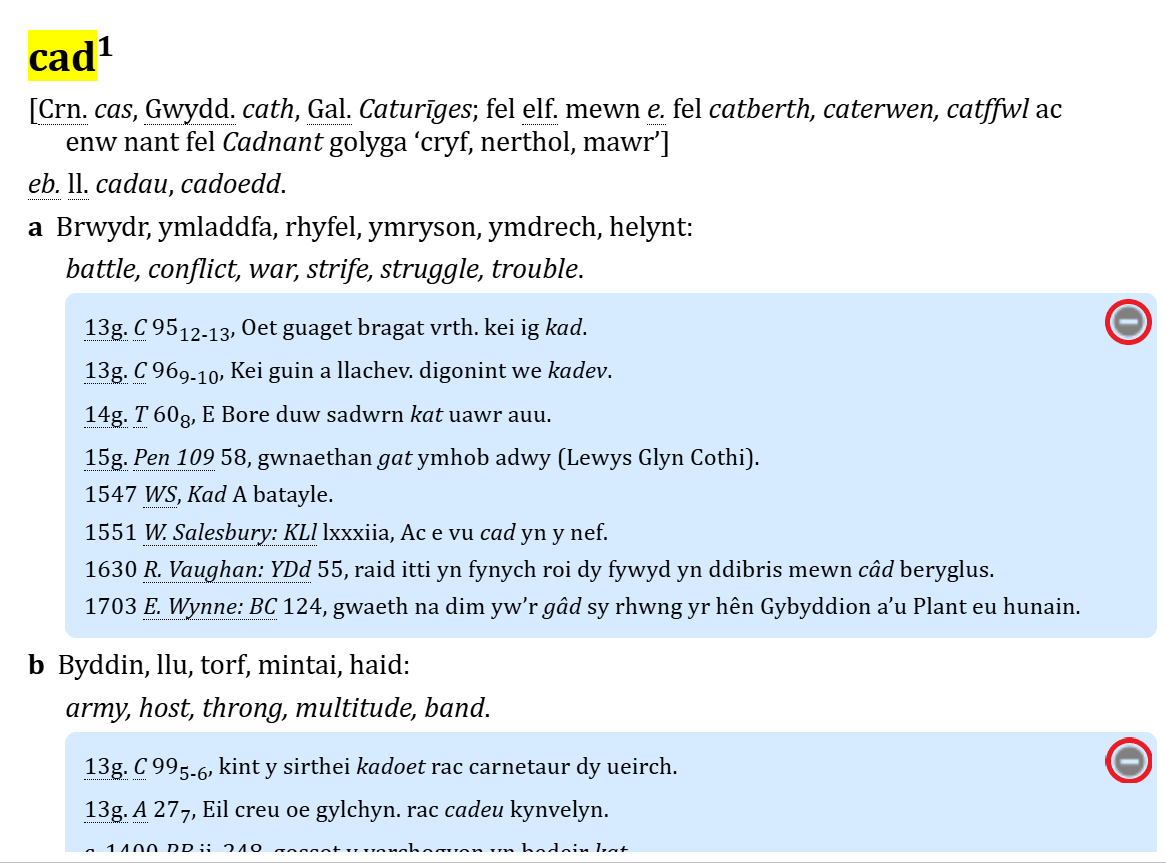
The quotations can be hidden block by block by clicking on the  buttons on the right,
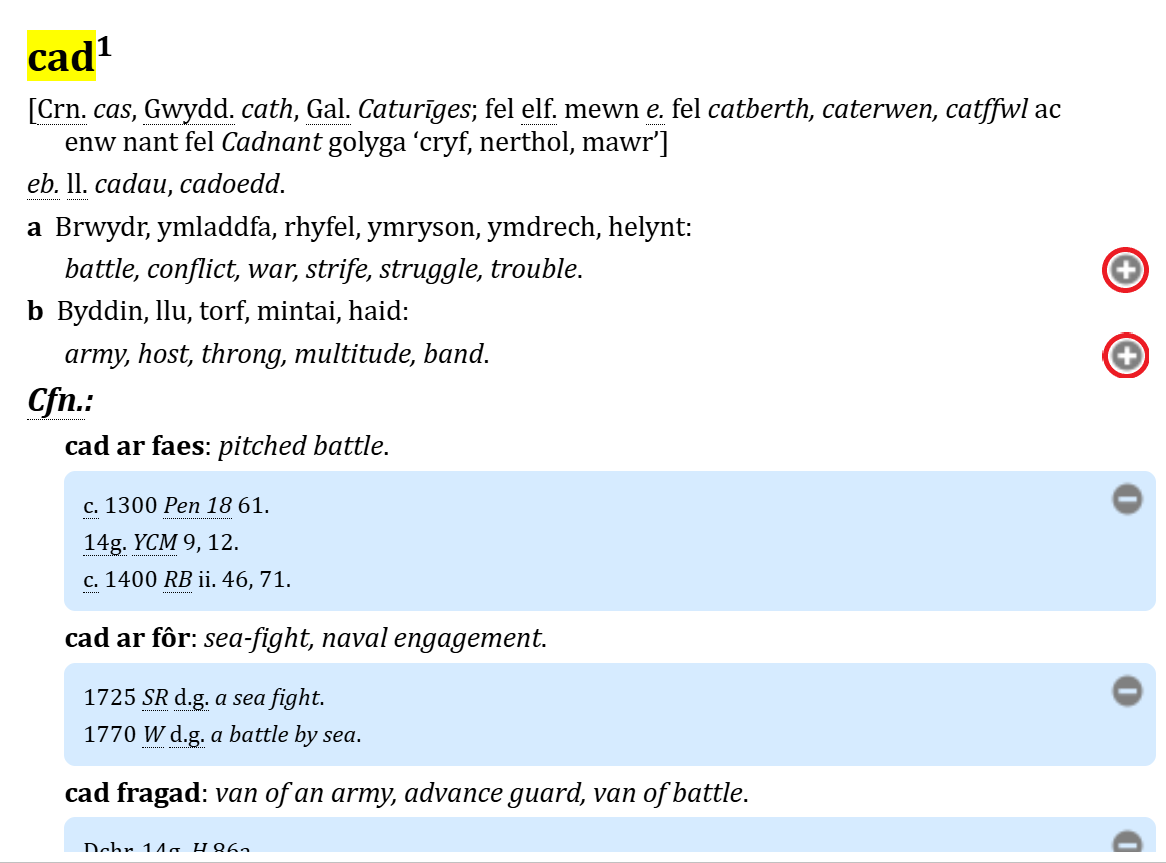
and revealed again by clicking the  buttons.


The buttons and at the top of the page hide and reveal all the quotations in an entry, which is useful if you want to see an outline of a long entry, or a list of combinations or phrases.
You can use the ‘back’ and ‘forward’ buttons in the browser (Chrome, Firefox, Edge, Safari, etc.) to move through your previous searches.
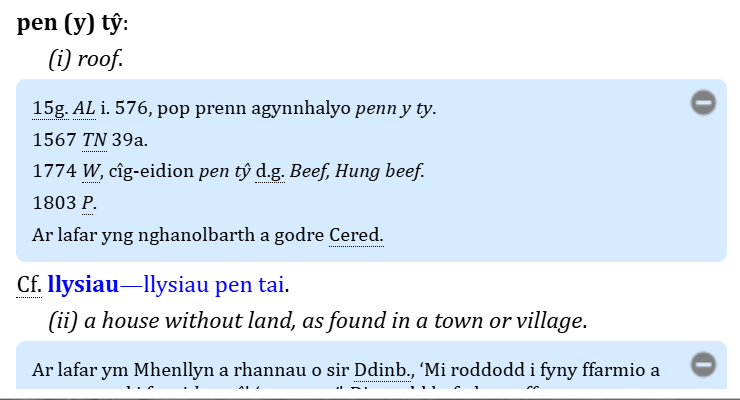
You can click on any link coloured blue in the results and within the entry to go to the corresponding entry (or to a specific place within it). Not all these links are operational because the Dictionary is never finished, and not every entry that is referred to has been edited yet. Many links followed by ‘(At.)’, ‘(hefyd At.)’, and ‘(GPC3)’ fall into this category.
Matches are usually highlighted in yellow or by a red dot before the match and the entry scrolls down to show the first match.
Searching for a Welsh word

If the screen is wide enough, a search box will be seen on the left.
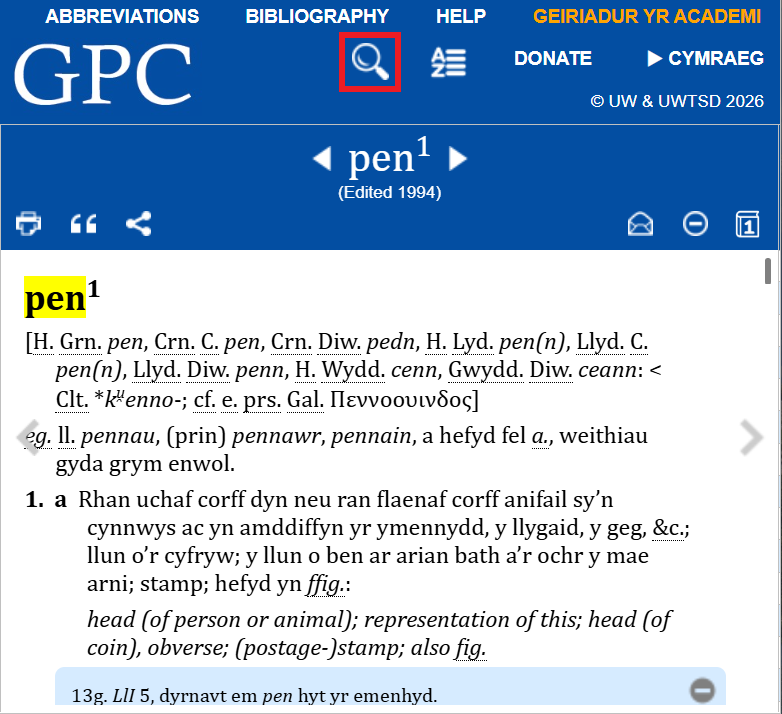
On smaller screens, if the search box is not visible, click on the magnifying glass icon to show it.
To search for a dictionary entry, select the WELSH tab (if it is not already selected), type the word in the search box above, and press the ENTER key.
Accents, the case of letters, punctuation, and numbers are all ignored. Every entry containing the word typed will appear in the results on the left-hand side of the screen (e.g. typing man will give man1, man2, man3, man4, mân1, and mân2).
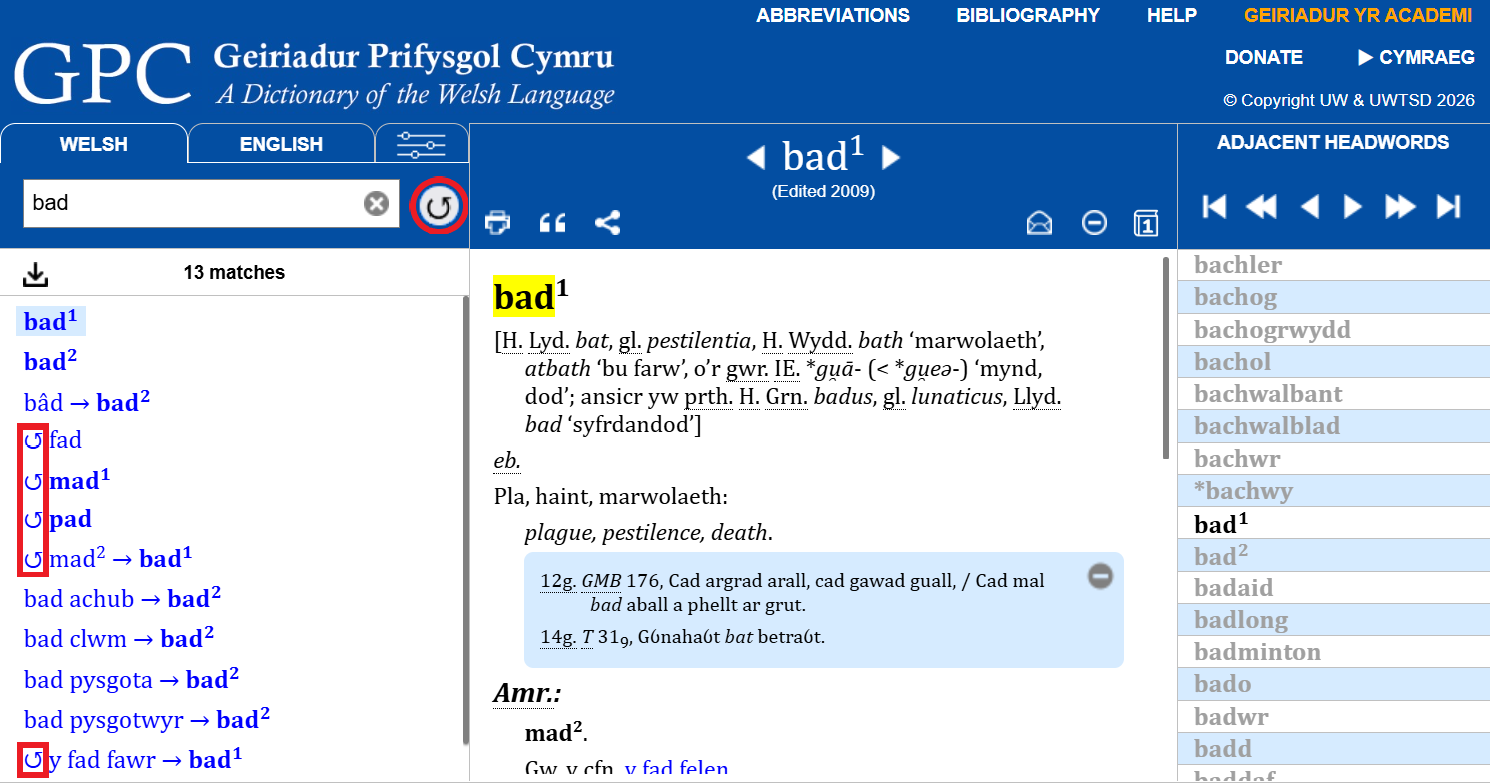
Searches include possible forms arising from mutations, which are marked with the symbol ↺, e.g. searching for bad also gives fad, mad and pad and searching for o also gives go and ho. If you don’t want to search for these, you can switch this off by clicking on the  icon on the right of the search box, which will then appear with a red bar through it..
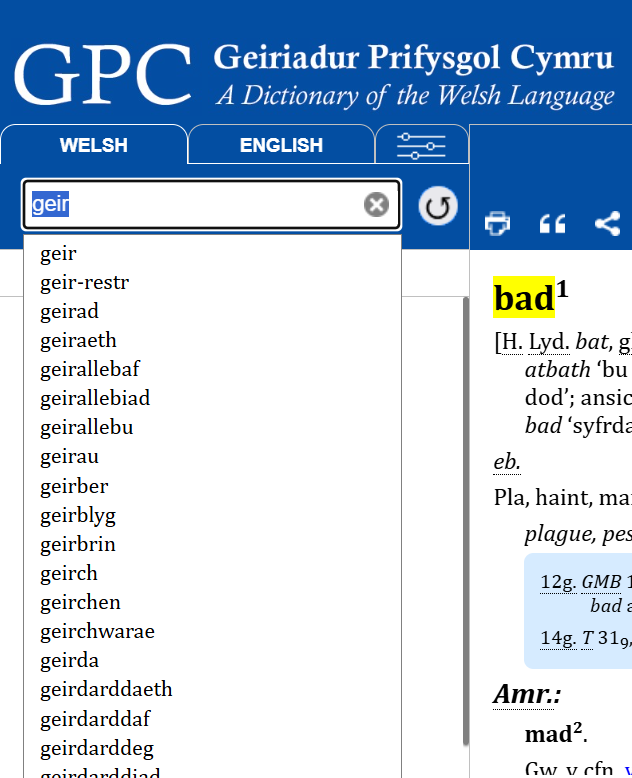
As you type, a list of words or phrases starting with those letters will appear under the box. You can click on any of these, or move the cursor down to select one.
You can use * instead of part of a word: e.g. typing cat* will find entries which begin with cat (including cat, catacwm, cath, cathaidd, etc.).
Use ? to represent any single letter: e.g. ?ath will find bath, cath, math, etc. These can be combined: e.g. ?e??i?d* will find geiriadur, etc. – very useful for solving crossword puzzles!
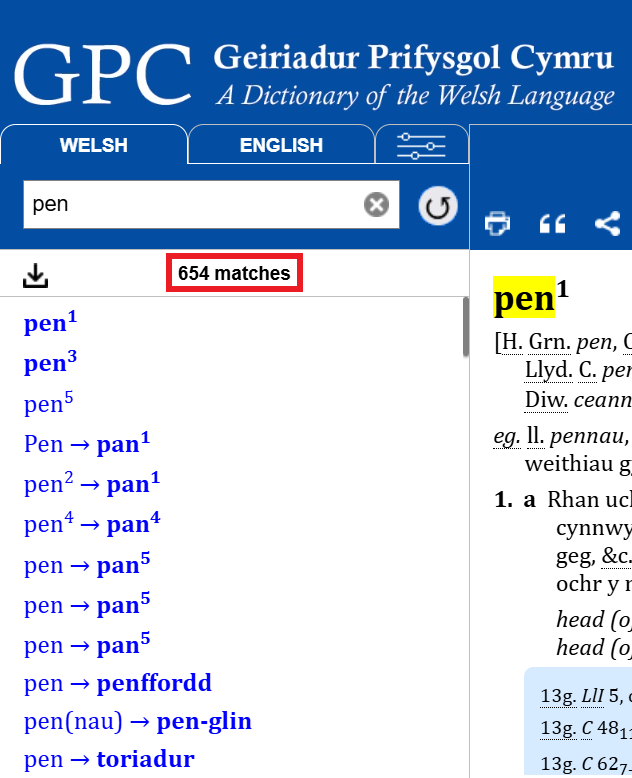
A search shows the number of times that a term occurs and lists the results on the left. Click on any one of these. You can scroll through this list.
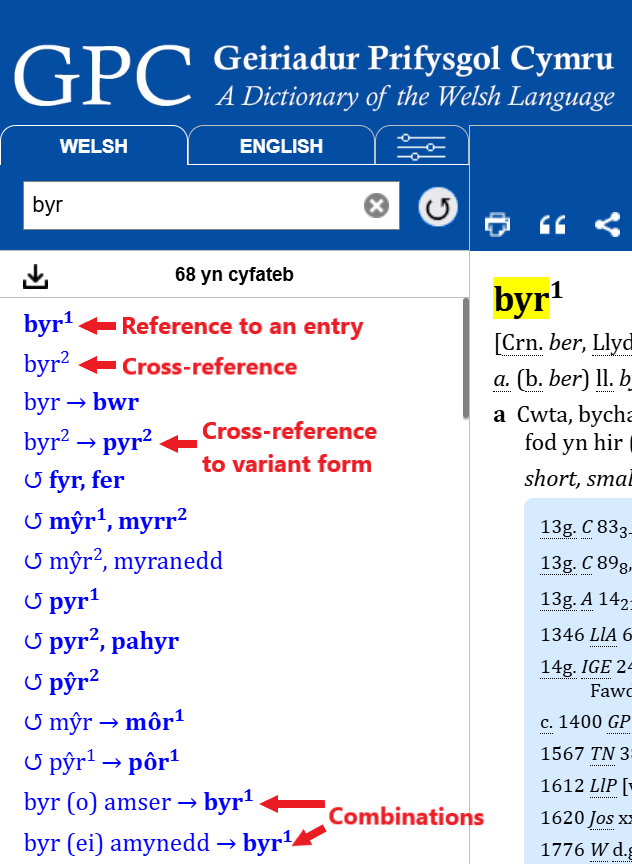
The results can refer to entries, cross-references, or collocations (‘combinations’).
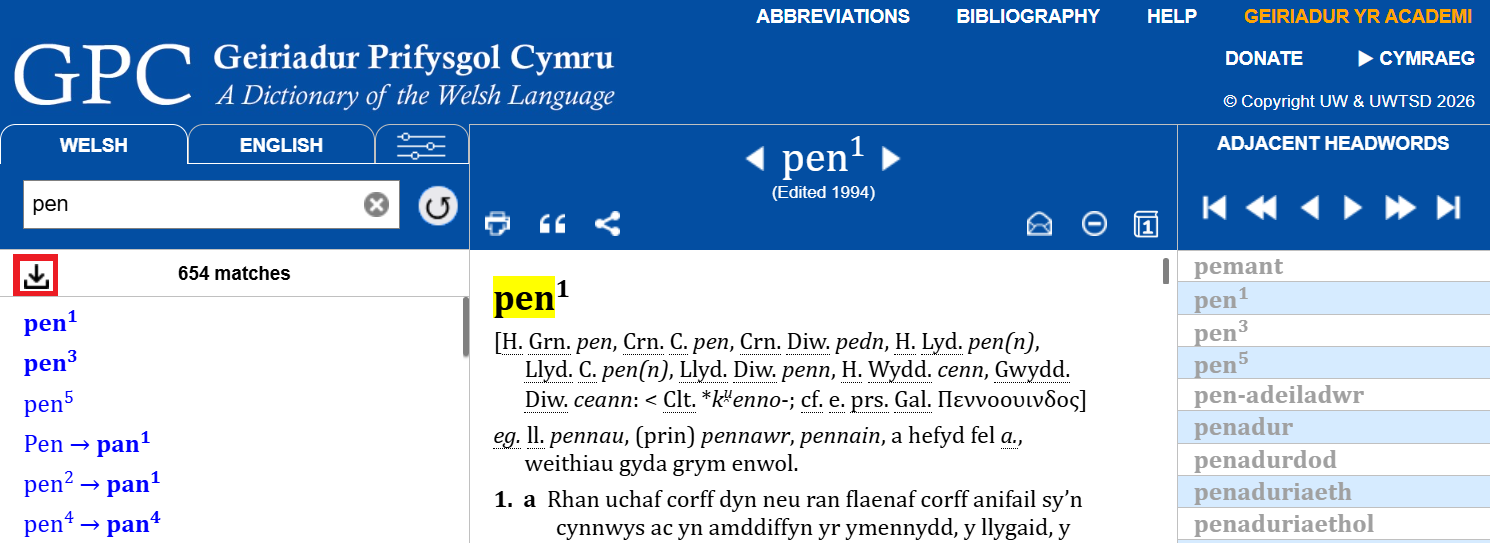
You can download up to 10,000 of the search results by pressing the download button under the search box. This will save a file names matches.rtf to your downloads folder which can be opened with a Word-compatible text editor. The file contains a synopsis of the search, the number of matches, and then one line for each match with a clickable URL to each of the matching entries.
Searching for a Welsh phrase
You can search for a phrase or collocation (‘combination’) by typing it in the search box on the left and pressing the ENTER key, as with searching Welsh words (see above).
The order of words and brackets in a phrase is taken into consideration, e.g. searching for pen ei thennyn will find pen ei dennyn (ei thennyn, &c.).
Moving between entries

You can go to the previous or following entry by clicking on the triangular arrows either side of the headword.
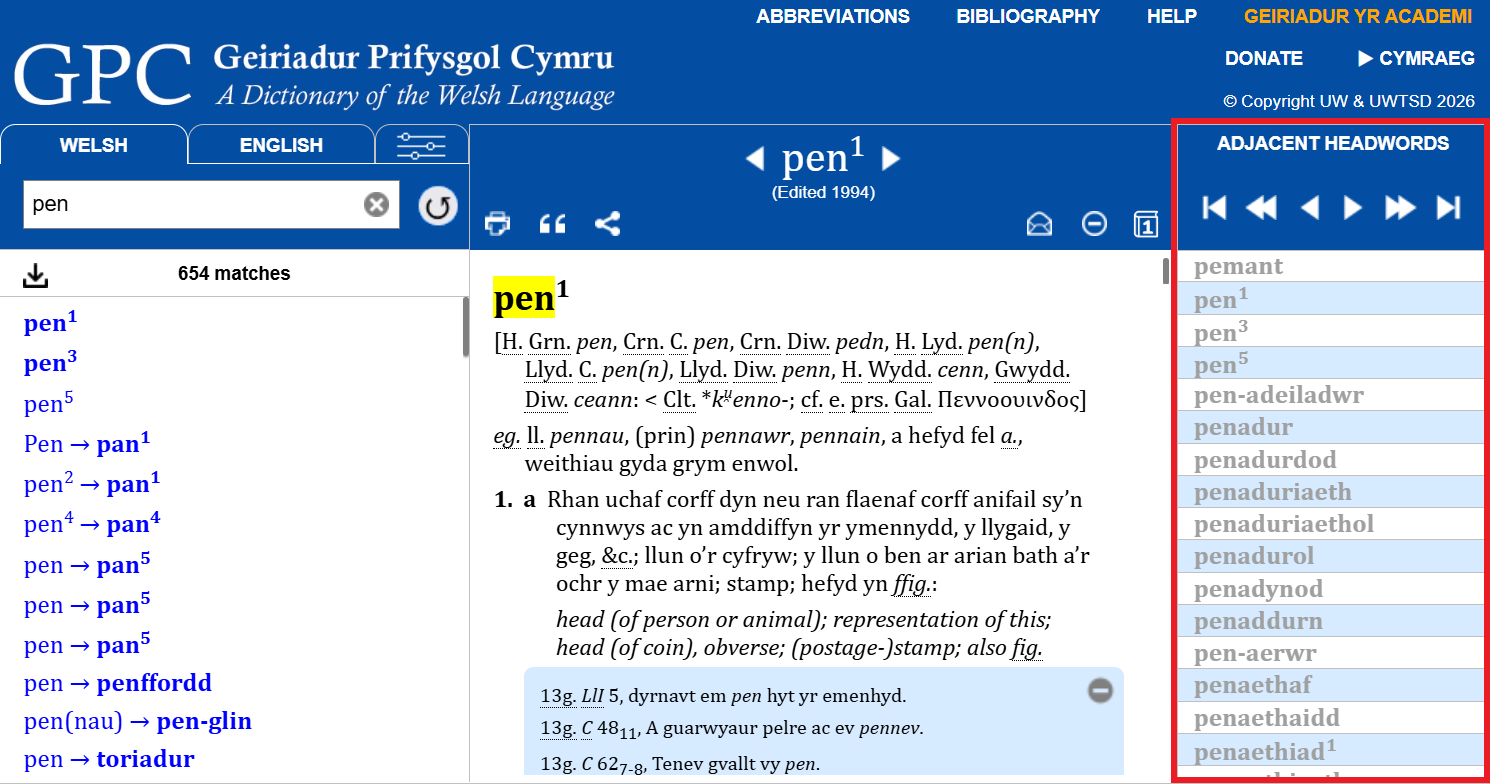

If the browser window is wide enough, a panel will appear on the right showing the adjacent headwords. Otherwise it can be opened by clicking on the A–Z icon at the top right of the screen. You can click on any of these words to go to that entry.
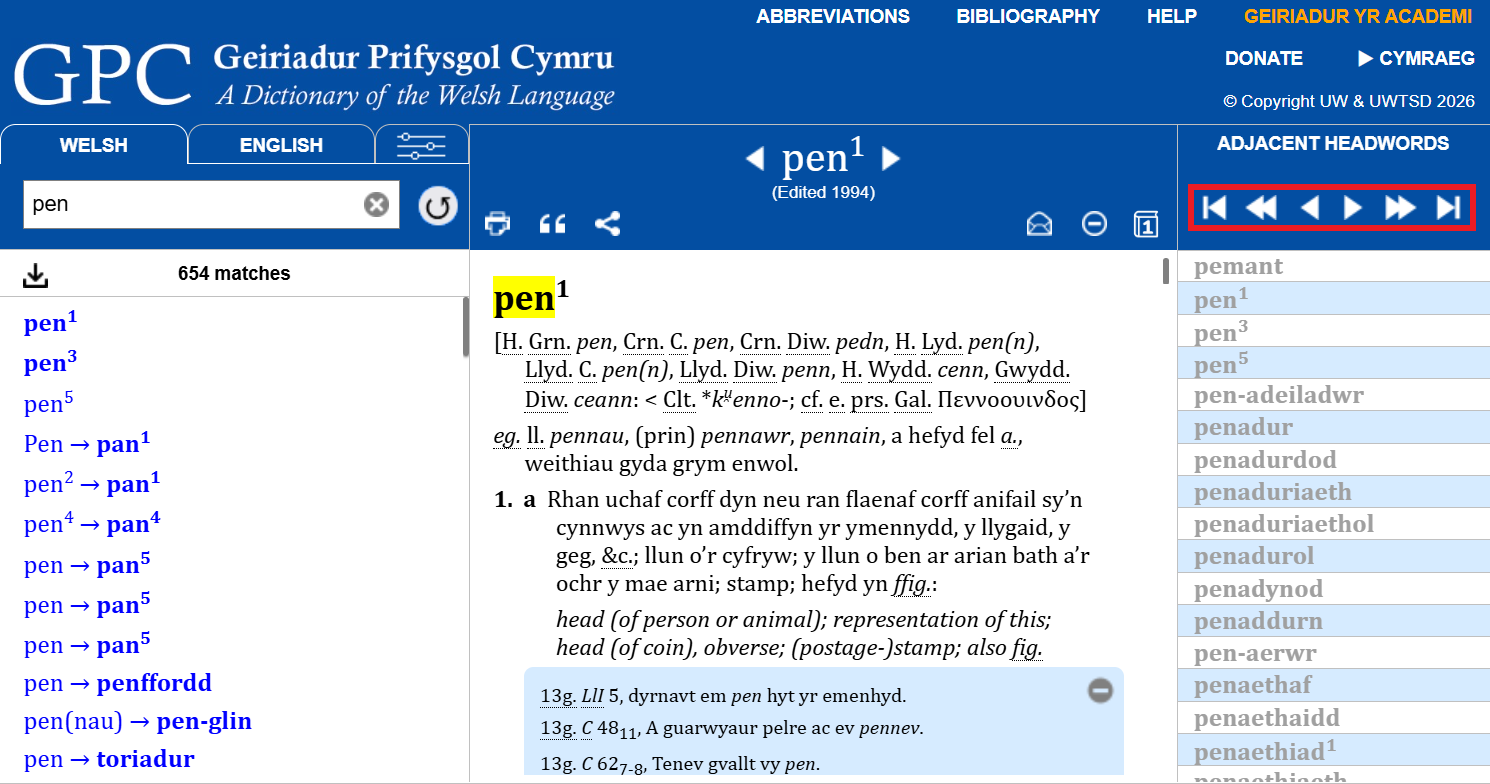
You can also scroll through the list or use the arrows at the top to jump a hundred or a thousand entries further up or down through the Dictionary, or to the beginning or the end.
Searching for an English word or phrase
GPC is a Welsh historical dictionary, which treats words of all periods of the language, with definitions and synonyms in Welsh and English. It is NOT an English–Welsh dictionary, and some results could be misleading. For instance, a search for horse matches cafall, ceffyl, eddystr, gorwyddfarch, etc., of which only ceffyl is now used. Despite that, it is possible to search for an English word to remind you of a Welsh equivalent, or to find all the entries whose English definitions include a specific word. You could, for example, search for river, which finds the entries for aber, afon, and nant.
To search for an English word or phrase, select the ENGLISH tab (if it is not already selected), type the word in the search box above, and press the ENTER key.
The order of the words is taken into consideration, e.g. bible dictionary will not find dictionary of the Bible.
The wildcard symbols ? (= any letter), * (any letter(s) or none), and + (= at least one letter) can be used, as with searching Welsh words (see above).
The English search will ignore the symbol ‘-‘ (hyphen), and will also search for common plural forms, so searching for ‘oak tree’ will find examples of ‘oak tree’, ‘oak-tree’, ‘oak trees’ and ‘oak-trees’.
Advanced searches
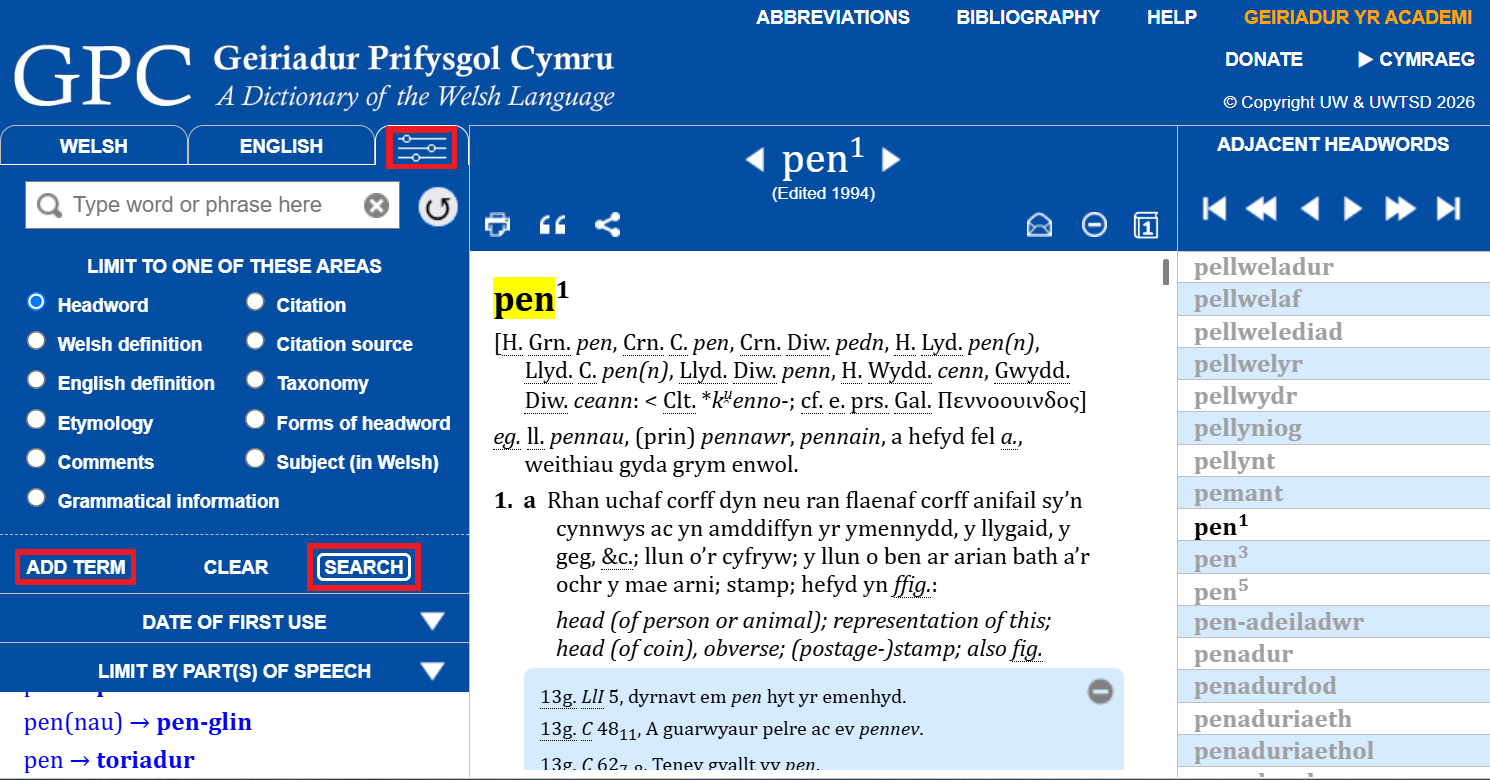
It is possible to search more precisely through the entire content of the Dictionary. To do this, you should press the  icon to the right of the Welsh and English tabs at the top left. To search under this tab you need to press the SEARCH button.
You can add another search term by pressing the ADD TERM button.
As well as searching the headwords and the English equivalents, it’s possible to restrict the search to one of the following areas:
| Category | Purpose |
|---|---|
| Headword | Search for a headword or variant |
| Welsh definition | Search for a word or words in the Welsh definitions |
| English definition | Search for a word or words in the English definitions |
| Etymology | Search for a word, element, etc., in the etymologies |
| Comments | Search for a word or words in the comments at the end of entries (including spoken usage) |
| Grammatical information | Search for parts of speech, feminines, plurals, diminutives, etc., or grammatical comments |
| Citation | Search for a word or words in the citations |
| Citation source | Search for citations by the abbreviation for its source (See the Bibliography to find the exact abbreviation that you need and to see full details of sources) |
| Taxonomy | Search for the Latin name(s) for species, etc., of living organisms (many have not yet been tagged) |
| Forms of headword | Search for attested spellings or forms of a headword in citations and comments. (Useful when a headword search fails or to find rare forms, e.g. use *esid to find examples of the verbal ending -esid.) |
| Subject (in Welsh) | Search for entries by the Welsh abbreviation for a specific subject or field (e.g. Bot. or Cem.). Subjects are not always noted. (See the Abbreviations for a list) |
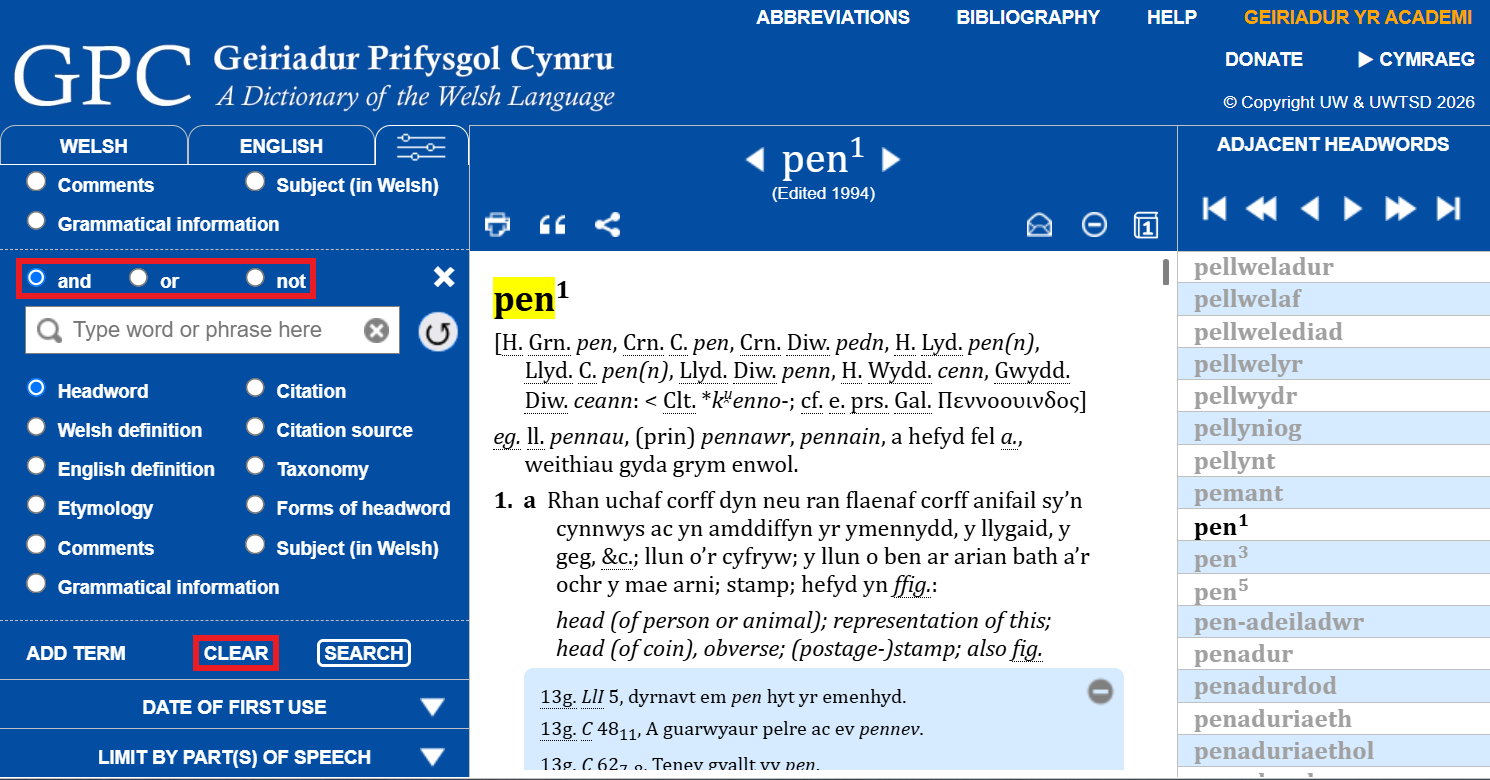
If you add one or more additional search terms, you can use the logical operators and, or or not to restrict the search further. You can clear the previous search by clicking on CLEAR.
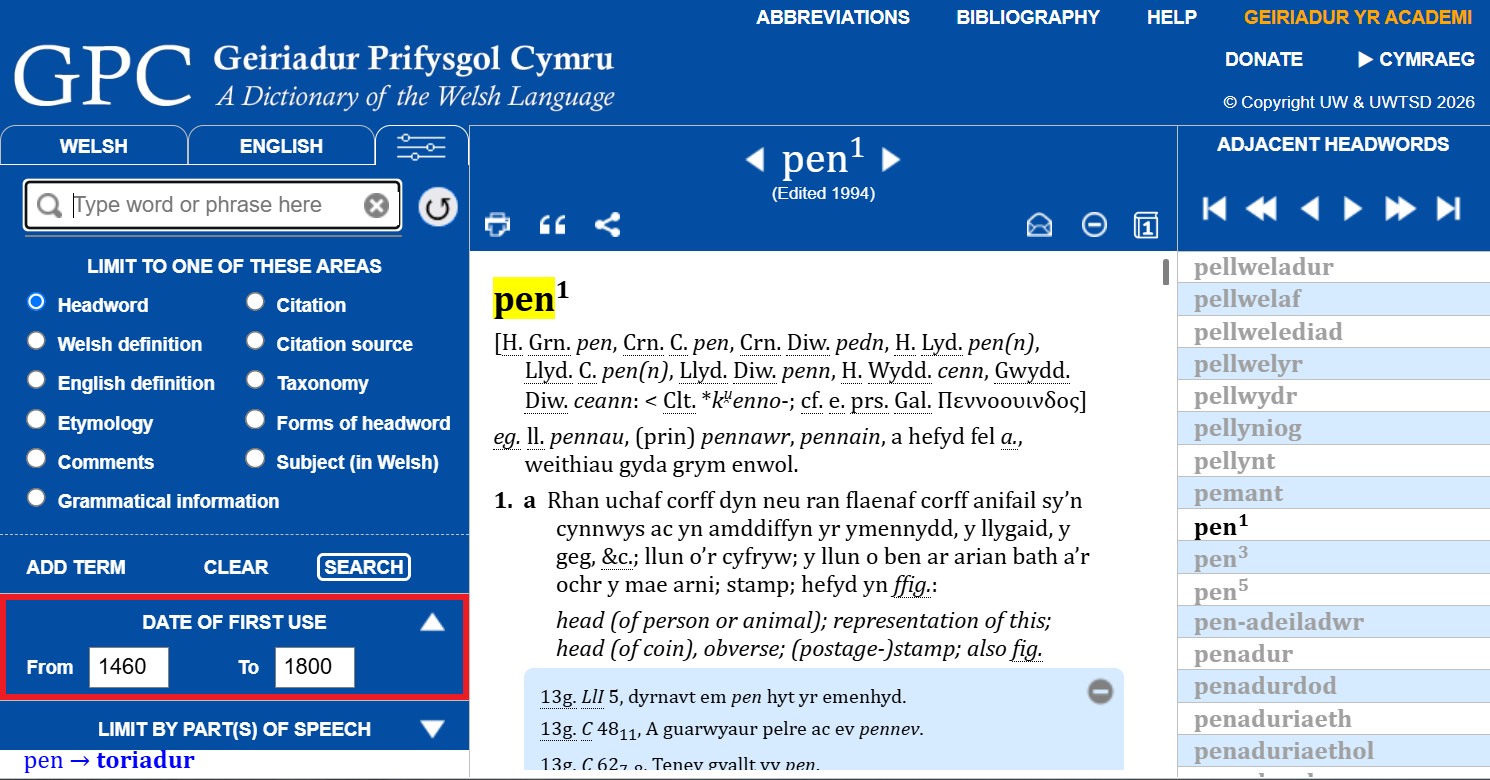
You can restrict the search by the first use of the word (e.g. to see every entry that starts with a quotation from the first full edition of the Bible, use From 1588 To 1588).
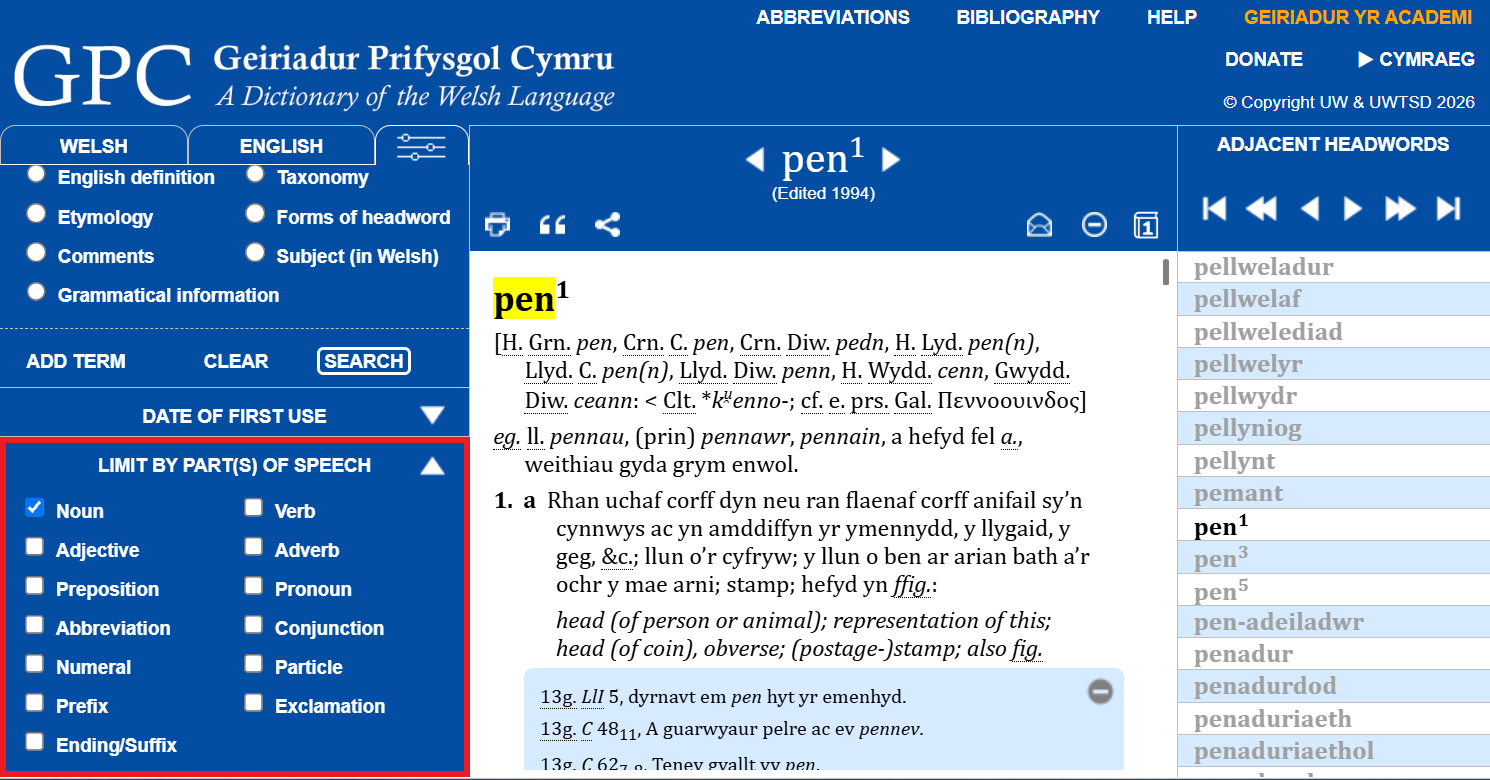
You can restrict the search by the part of speech listed:
- Noun
- Adjective
- Preposition
- Abbreviation
- Numeral
- Prefix
- Ending/Suffix
- Verb
- Adverb
- Pronoun
- Conjunction
- Particle
- Exclamation
These search methods allow very precise searching in the Dictionary, but remember that such searches can restrict the possible results in different ways from the normal Welsh and English searches.
If you would like more help with these searches, contact us.
Gender, spelling, plural forms, etc.
GPC attempts to follow standard Welsh orthography in spelling the headwords (or keywords), the plural forms, the variants, and the collocations (or phrases) that are listed. The first form of the word is usually the most common today. In the case of verbs, the most usual standard form of the verb-noun (corresponding to the infinitive in English) is given first after the colon.
In the case of nouns, the gender which is given first is the most usual in the literary langauge, but remember that gender can vary from area to area and might have been different in the past.
The spelling of the quotations follows that of the text cited. Sometimes texts are cited from editions which have standardized the spelling: these are cited exactly as they are in the edition.
Dates of publication

The date that each entry was last edited is shown below the headword. Please note that many entries have minor changes or additions, indicated by the ‘+‘ symbol after the date. This can include the re-dating of some citations, and occasionally additional citations have been included. The date will only be changed when the entry is thoroughly re-edited.
The first edition of GPC appeared between 1950 and 2002. Most of A–B has been thoroughly revised, and entries from this second edition are shown here. From C onwards the Editors will be adding entirely new entries and revising a selection of the old entries. The intention is to thoroughly revise the entire dictionary, but that will be a huge task. The most recent work will be added regularly to GPC Online.

In order to compare the Dictionary with the print version, it is possible to see page images from the print edition by clicking on  . This loads a page image corresponding to the entry currently displayed. Not all entries are included in the first edition.
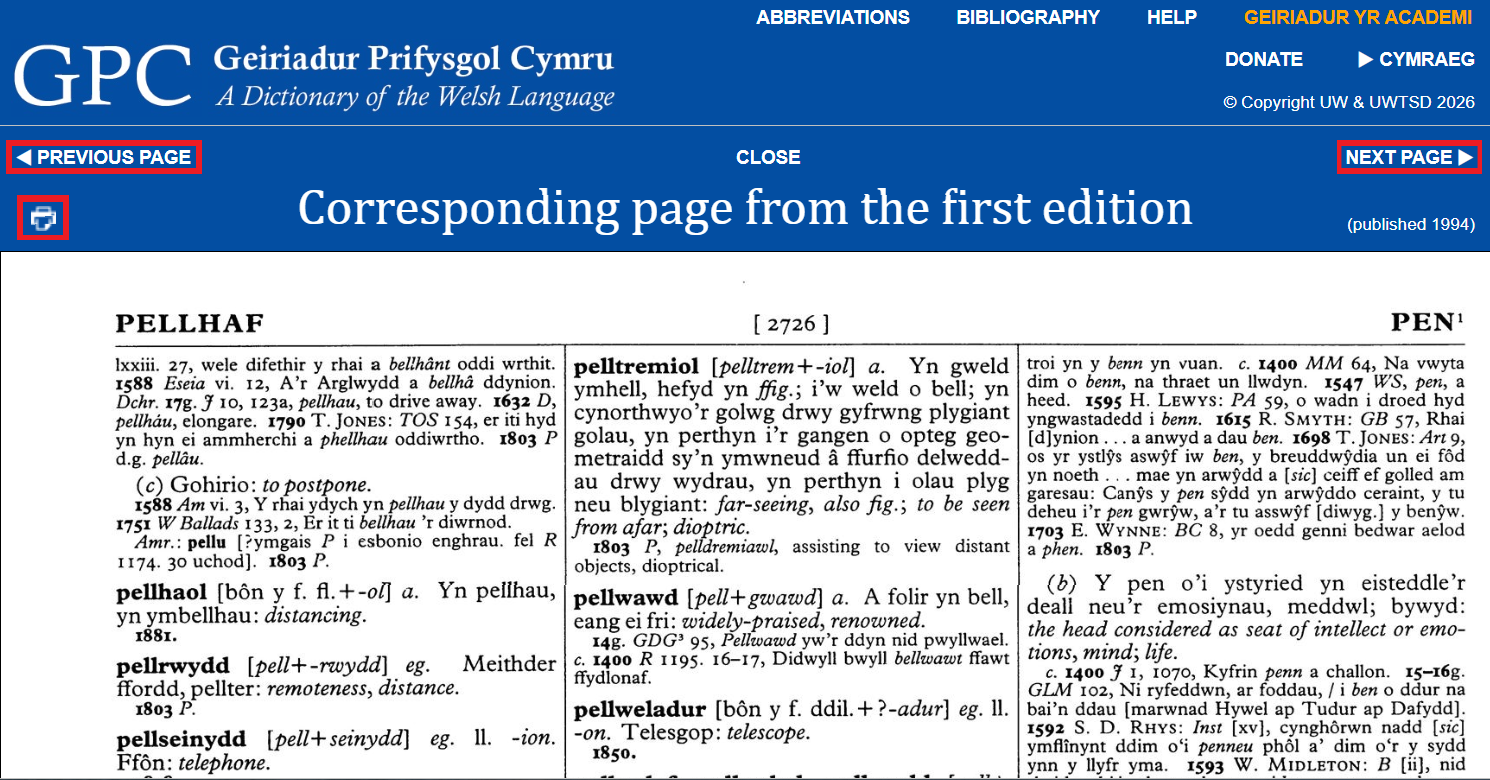
The image can be dragged by holding down the left-hand mouse button and moving the mouse. The mousewheel (if present) or touchpad can be used to enlarge and reduce the image to make it easier to see. The image can be printed and saved (subject to the normal copyright restrictions) by clicking on the printer icon on the left.
The NEXT PAGE / PREVIOUS PAGE buttons allow you to look at the surrounding pages, since an entry may flow from one page to another.
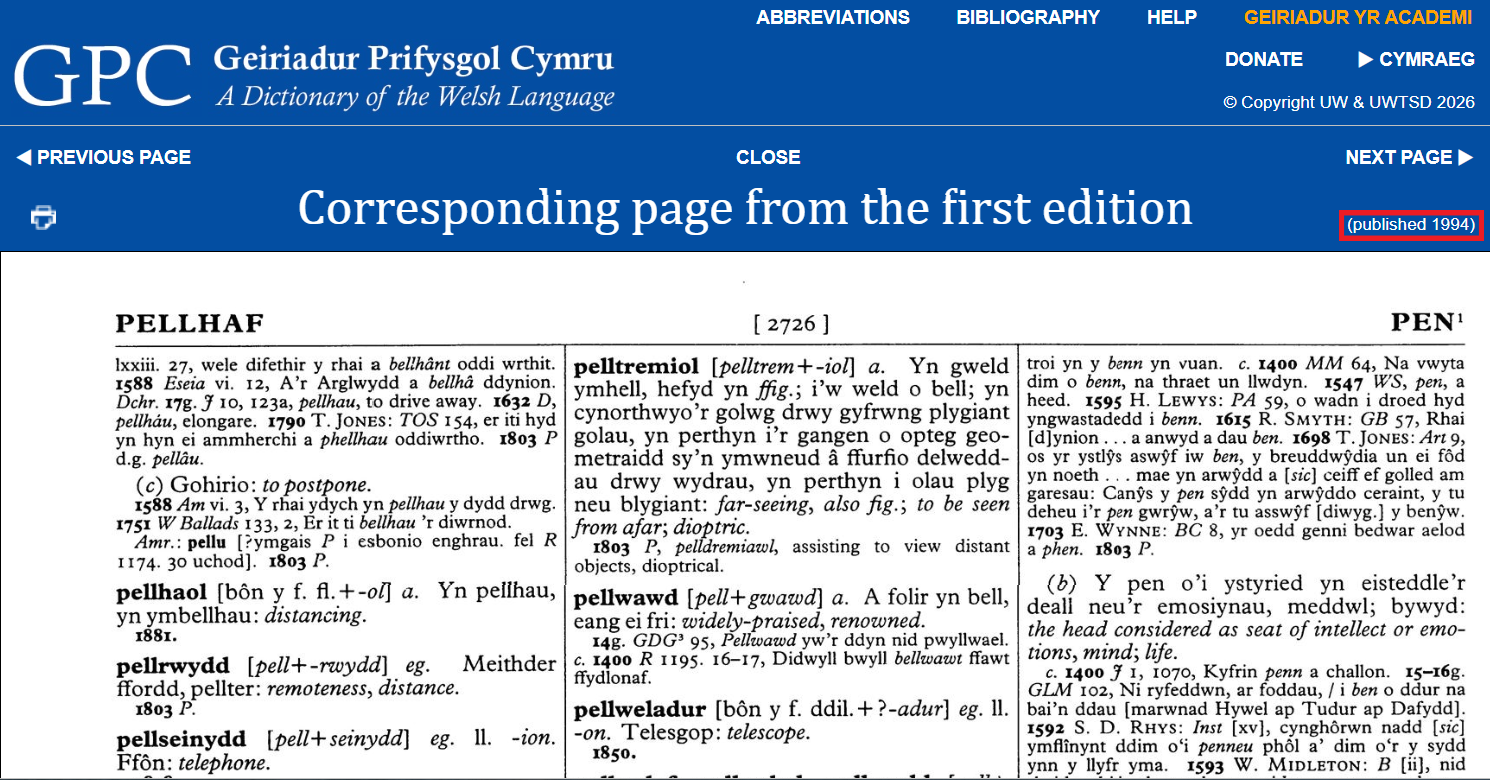
It is important to remember that the page images can be more than seventy years older than the entry displayed. The date of publication of the first edition page is displayed at the bottom right of the title bar.
If you are using a phone or tablet, please see the next section.
Compatibility
GPC Online works best on Windows, Android, iOS and Linux PCs, laptops and mobile devices with major browsers such as Chrome, Firefox, Edge, and Safari.
On phones and tablets, because there is usually no mouse, help cannot be obtained by ‘mousing over’ parts of the screen. (Tapping items sometimes works.) You will need to use your fingers to scroll the screen. You can move images of the pages of the first edition with your fingers and pinch to change the size of the image.
The GPC website

By clicking on the GPC logo at the top of the page you can visit the Dictionary’s website, where you can learn more about the Dictionary and contribute comments and new words. You will also find details of our print publications and how to order them.
Copyright
Although there is no charge for using GPC Online, all the data are the intellectual property of the University of Wales and University of Wales Trinity Saint David. Individuals are granted permission to use the resource for their research and teaching work and to cite it as permitted by the copyright laws currently in force, but the source must be acknowledged. The resource can be used by businesses and institutions, but it cannot be reproduced for commercial purposes without permission.
How to cite an entry

There is a button at the top left of the page to help you to cite an entry correctly from the Dictionary.
N.B. Because of the way in which the data were converted to digital format, entries from brithlyfr to llyys should be checked against the printed edition before citing them by clicking on , and we would appreciate hearing about any errors that you may notice.
Entries should be cited from GPC Online, according to one of the following styles:
Harvard (UK):
University of Wales Centre for Advanced Welsh & Celtic Studies (2026) Marwdon. In: Geiriadur Prifysgol Cymru: A Dictionary of the Welsh Language [online]. Available at: https://www.geiriadur.ac.uk/gpc/gpc.html?gpc078189 (Accessed: 3 November 2026).
APA 7th:
University of Wales Centre for Advanced Welsh & Celtic Studies. (2026). Marwdon. In: Geiriadur Prifysgol Cymru: A Dictionary of the Welsh Language (online). Retrieved November 3, 2026, from https://www.geiriadur.ac.uk/gpc/gpc.html?gpc078189.
MLA 9th:
“Marwdon.” Geiriadur Prifysgol Cymru: A Dictionary of the Welsh Language, University of Wales Centre for Advanced Welsh & Celtic Studies, 2026, www.geiriadur.ac.uk/gpc/gpc.html?gpc078189. Accessed 3 Nov. 2026.
Chicago (troednodyn):
Geiriadur Prifysgol Cymru: A Dictionary of the Welsh Language, s.v. “marwdon,” accessed November 3, 2026, https://www.geiriadur.ac.uk/gpc/gpc.html?gpc078189.
Chicago (llyfryddiaeth):
Geiriadur Prifysgol Cymru: A Dictionary of the Welsh Language. S.v. “marwdon.” Accessed November 3, 2026, https://www.geiriadur.ac.uk/gpc/gpc.html?gpc078189.
MHRA:
Geiriadur Prifysgol Cymru: A Dictionary of the Welsh Language, s.v. ‘marwdon’ https://www.geiriadur.ac.uk/gpc/gpc.html?gpc078189 [accessed 3 November 2026].
A permanent URL to a particular entry can be obtained by selecting ‘Entry URL’ in the cite options.
Printing, sharing and feedback

You can also use the buttons at the top to print an entry or share it on various social media. There is also a button to send us feedback by email, whether about a particular word or about the Online Dictionary itself.
Technical problems?
If you have trouble with GPC Online, sometimes there may be a problem in the browser (Chrome, Firefox, Edge, Safari, etc.). Reloading it by pressing CTRL+SHIFT+R (CMD+SHIFT+R on MacOS) or CTRL+F5 can often resolve problems by clearing the cache.
On mobile devices you can close and restart the app by swiping it off the screen from the set of apps that are currently running.
Need more help?
If you still have a question, please send an email to:
gpc@geiriadur.ac.uk
Credits
Data conversion to XML and software development by iLEX Digital Publishing, Copenhagen, Denmark.
Funded by the Welsh Government and the University of Wales Trinity Saint David.